
Troubleshooting and support
Common problems and quick fixes
Last updated 22 October 2026
A team member isn't showing in online booking Check they have working hours in Team → Rota at that location, and that they're assigned to the service.
A team member isn't showing in online booking Check they have working hours in Team → Rota at that location, and that they're assigned to the service.
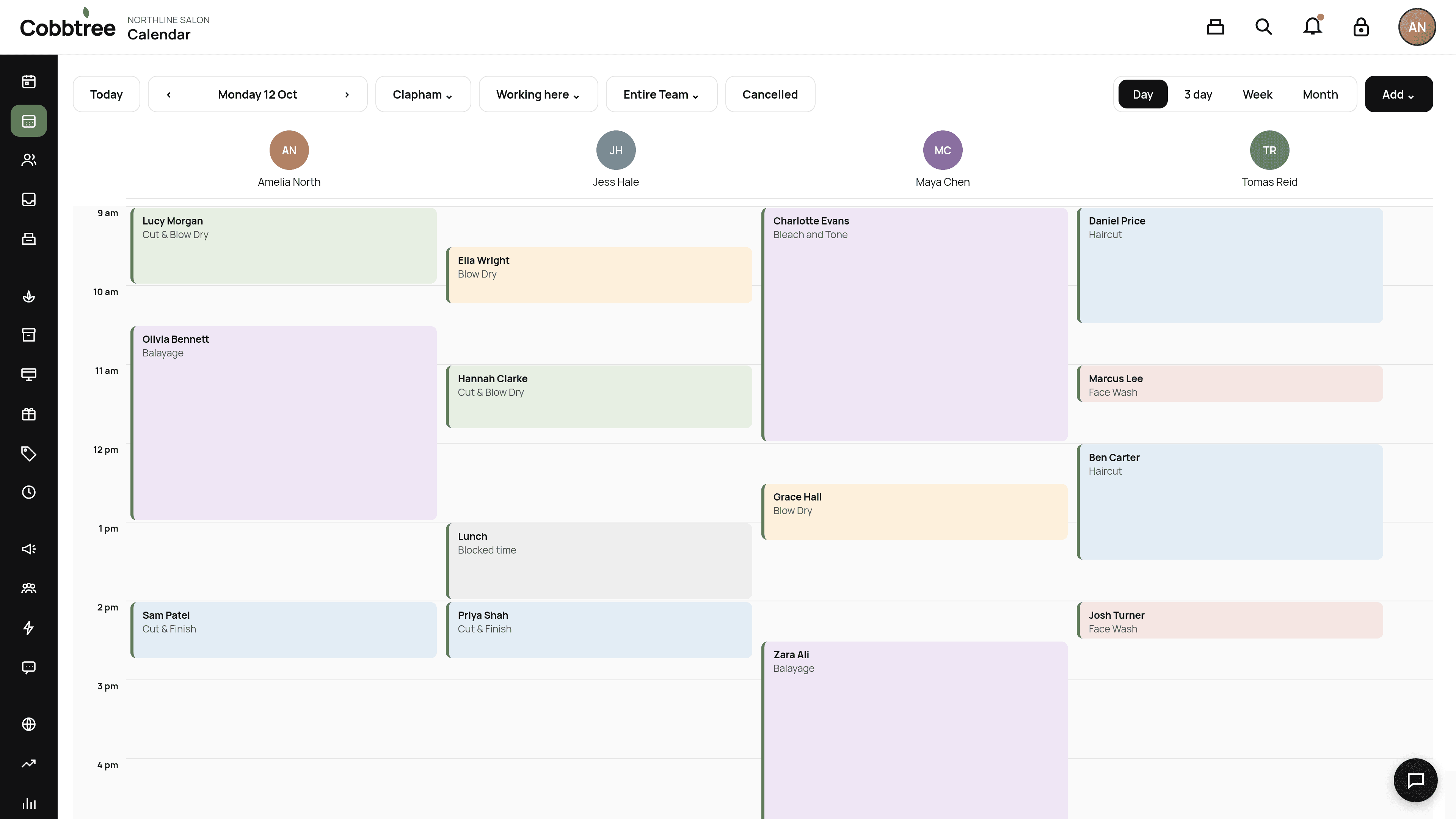
A team member is missing from the calendar The calendar starts on Working here. People who are sick or on time off still appear, with the day shaded. If the page says no one is scheduled, it names the location and the day, and lists who has no shift or who is at your other salon. Choose Show the whole team, or set Who is on the diary to All team, to see everyone. If they should be working, check their hours in Team → Rota.
Clients can't book a service online Check the service has the Online badge, and that it doesn't need a patch test the client doesn't have.
I can't take card payments Finish Stripe setup in Payments & Devices. If you see Test mode on the till, no real money will move.
Tap to Pay isn't available Tap to Pay works in the Cobbtree app on a compatible iPhone or Android, not in a browser or on an iPad. See Tap to Pay.
A text message didn't send Check SMS is on and you have credits under Marketing → SMS. See Why a message wasn't sent.
I can't change my currency You can't change currency after your first booking or payment.
My price changed but old bookings didn't That's expected. Booked prices are locked in.
Still stuck? Contact Support.
Related: Contact Cobbtree Support · Mark someone sick or on time off · Find your way around the calendar
Was this article helpful?