
Memberships, loyalty and gift cards
Sell and manage gift cards
Last updated 12 October 2026
Gift cards belong to your business. A Northline Salon gift card can only be spent at Northline Salon. There's no Cobbtree-wide gift card.
Gift cards belong to your business. A Northline Salon gift card can only be spent at Northline Salon. There's no Cobbtree-wide gift card.
Set up gift cards
- 1Select Gift cards in the left-hand menu.
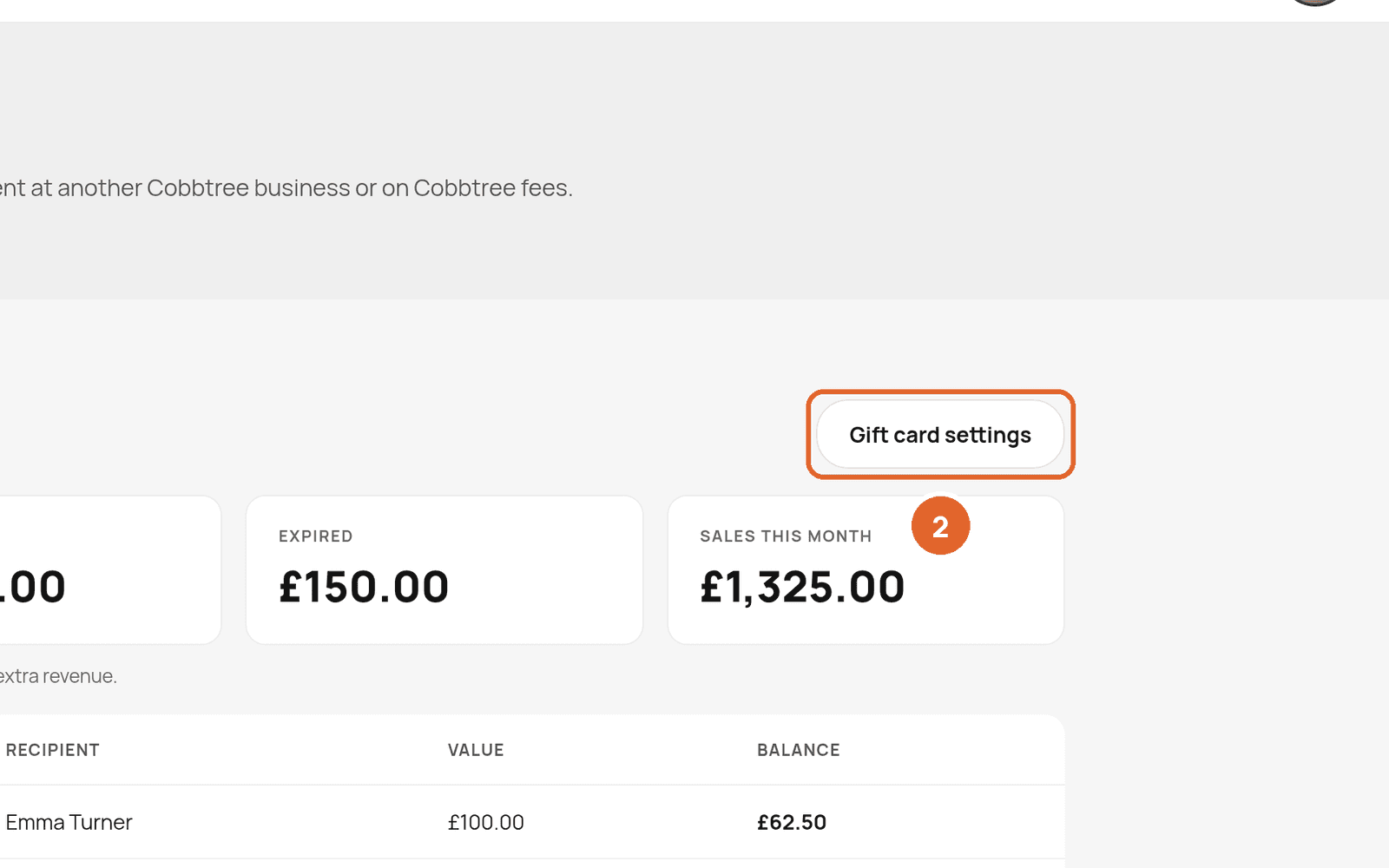
- 2Select Gift card settings.
- 3Set purchase to Online and in person if you want to sell them on your listing too.
- 4Save.
Sell a gift card
- At the till: open Sales, choose Gift cards, pick a value and take payment as usual. Don't accept another gift card as payment for a gift card.
- Online: customers choose Gift cards on your Marketplace listing, pick an amount and pay by card.
Find and manage sold cards
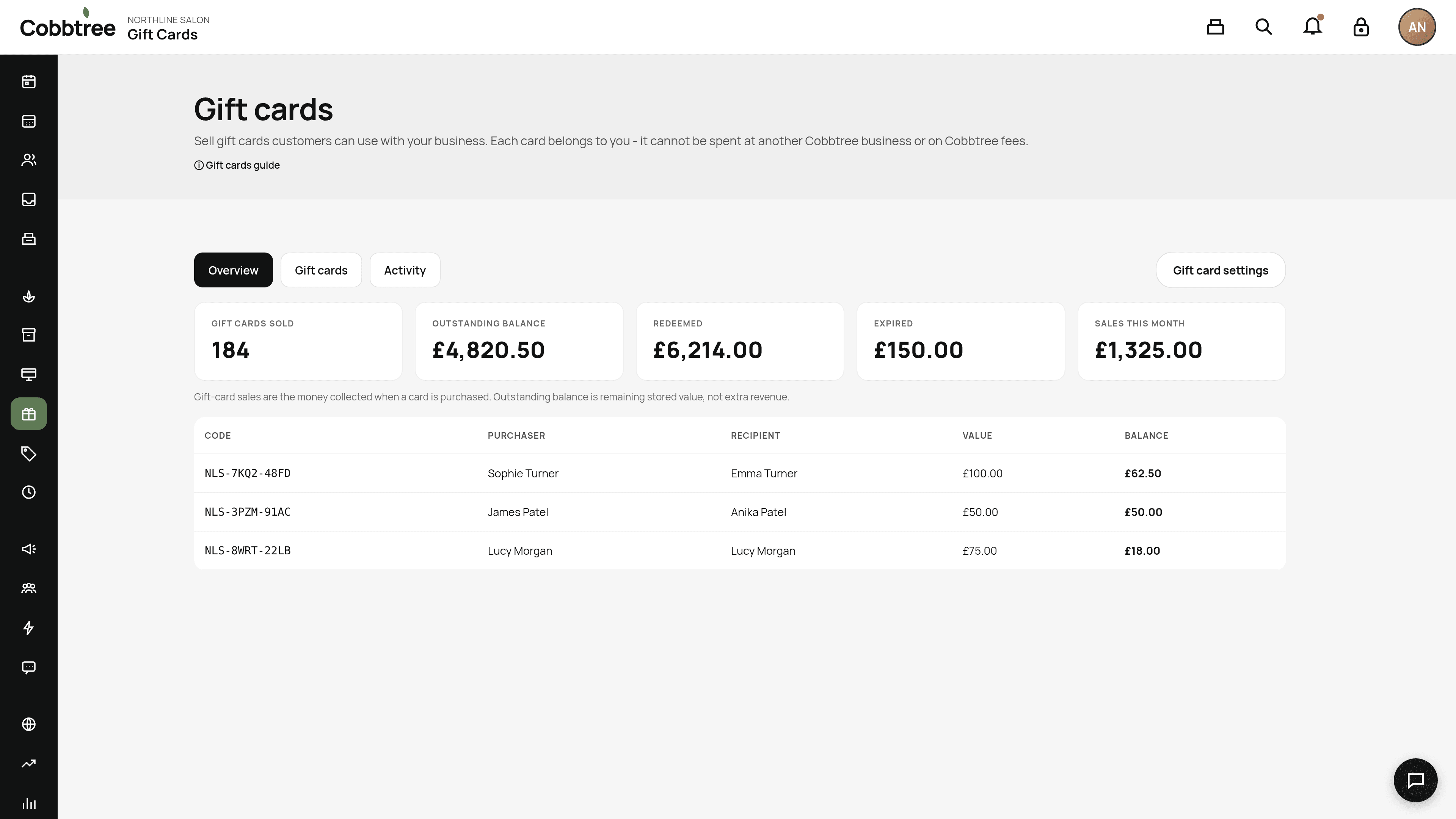
Open the Gift cards tab (2). Search by code, buyer or recipient, then open a card to see its history. You can:
- Extend it with a later expiry date and a reason.
- Adjust balance with an amount and a reason. Receptionists can't do this by default.
Understanding the numbers
Overview shows gift cards sold, outstanding balance, redeemed, expired and sales this month. Outstanding balance is money you still owe customers, not extra income. A £100 gift card sale isn't £100 of service income.
Good to know
Turning gift cards off stops new sales, but existing cards can still be used.
Related: Refund a payment · Loyalty
Was this article helpful?