
Checkout and payments
Connect Stripe and take card payments
Last updated 12 October 2026
Cobbtree Payments uses Stripe. You need Stripe connected to take card payments, deposits, saved cards and no-show fees.
Cobbtree Payments uses Stripe. You need Stripe connected to take card payments, deposits, saved cards and no-show fees.
Connect Stripe
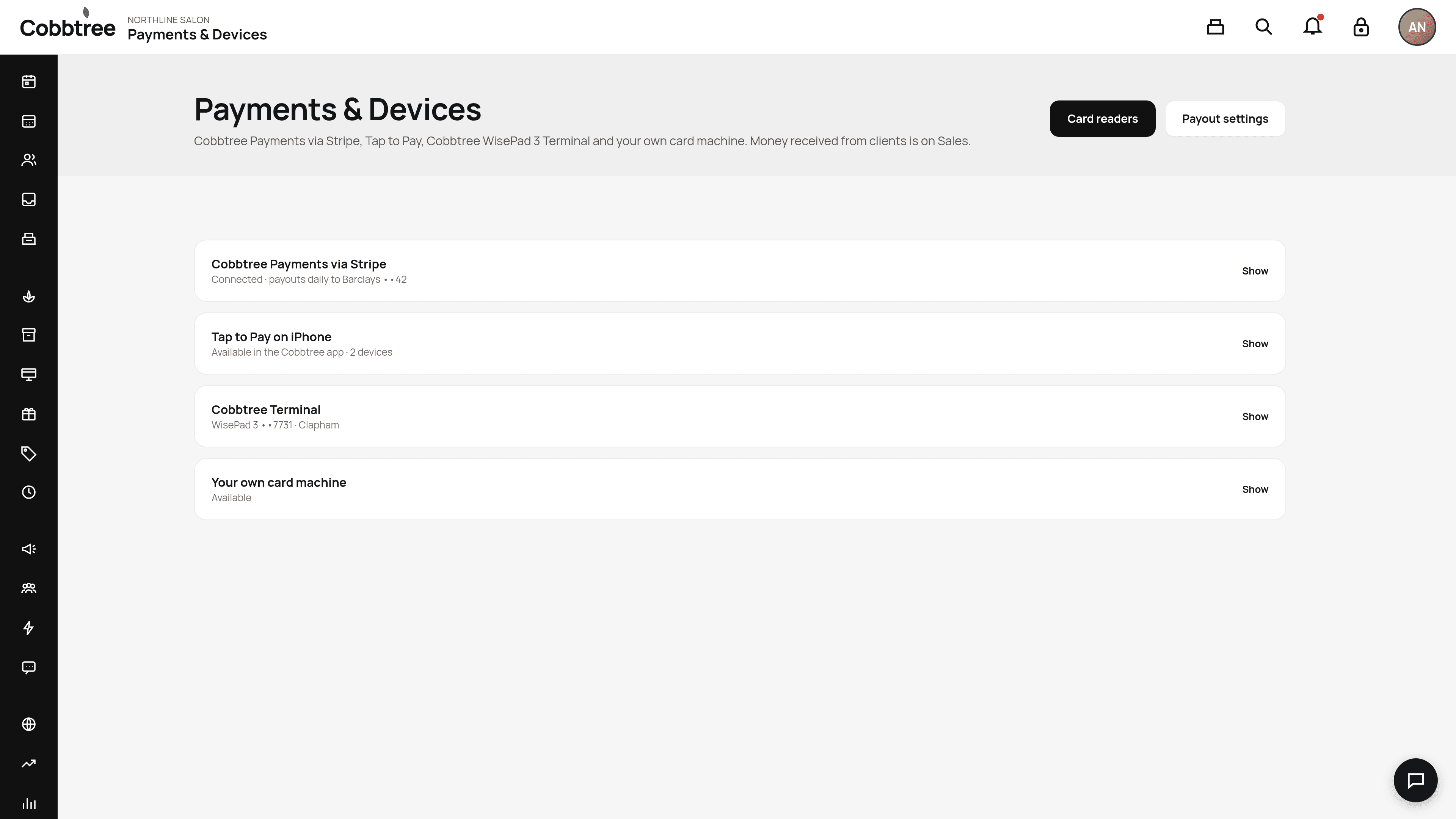
- 1Select Payments & Devices in the left-hand menu.
- 2Next to Cobbtree Payments via Stripe, select Show.
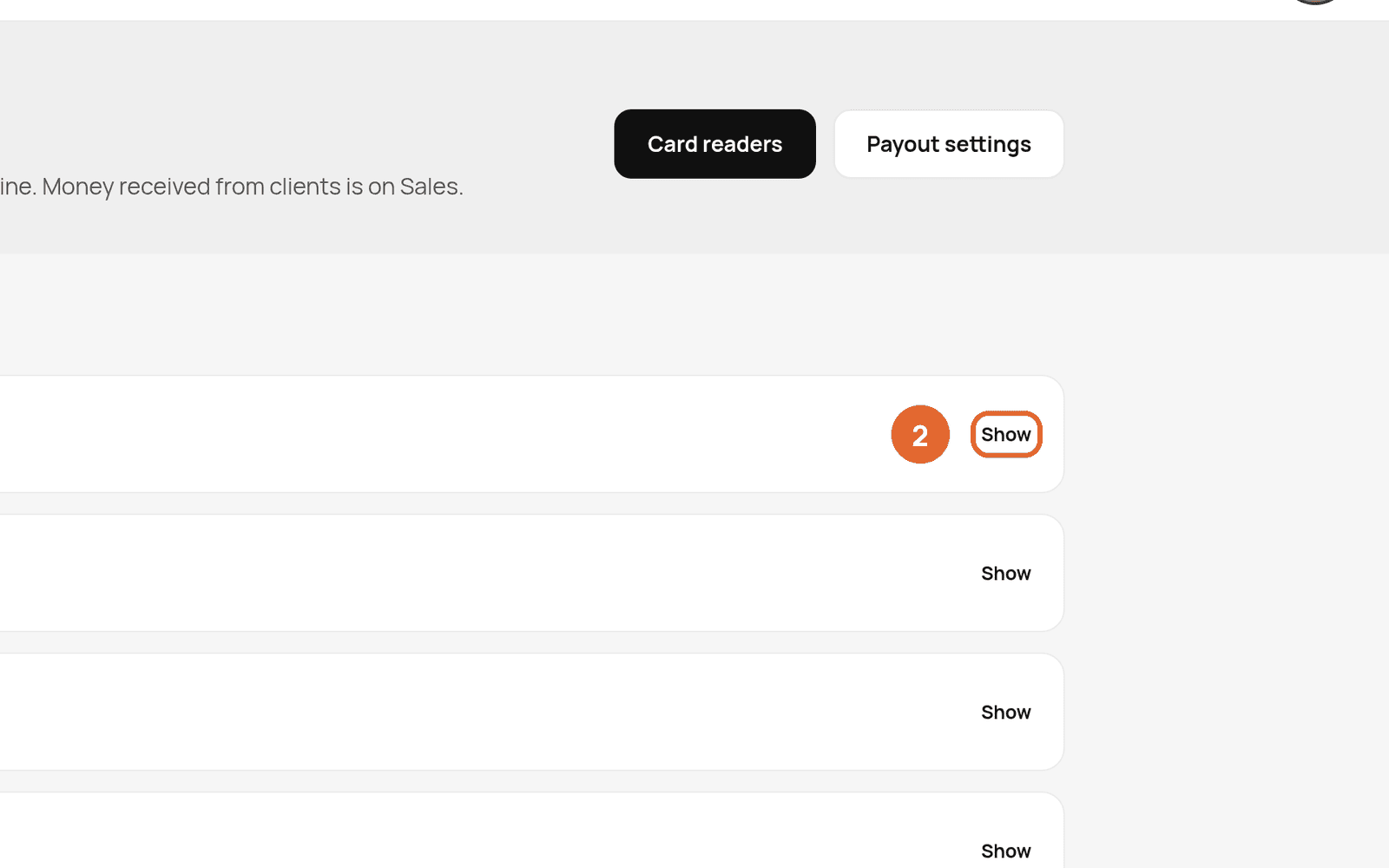
- 3Follow the steps to finish Stripe setup.
If setup isn't finished, you'll see a banner that says Finish Stripe setup to take live card payments.
Ways to take payment
The same page lists each option:
- Cobbtree Payments via Stripe: cards at the till, online deposits and pay in full.
- Tap to Pay on iPhone: available in the Cobbtree app.
- Cobbtree Terminal: the BBPOS WisePad 3 card reader, available in the Cobbtree app.
- Your own card machine: record payments taken on a machine you already have.
Payouts
Select Payout settings (3) to check where your money is paid out. Money you've received from clients is shown under Sales.
Related: Take a payment at the till · Tap to Pay · Card readers
Was this article helpful?