
Messages and marketing
Automations: reminders and automatic messages
Last updated 12 October 2026
Automations send messages to clients for you when something happens. For example, when a booking is made, an appointment is coming up, a waitlist slot opens or someone leaves...
Automations send messages to clients for you when something happens. For example, when a booking is made, an appointment is coming up, a waitlist slot opens or someone leaves checkout without finishing.
Create an automation
- 1Select Automations in the left-hand menu.
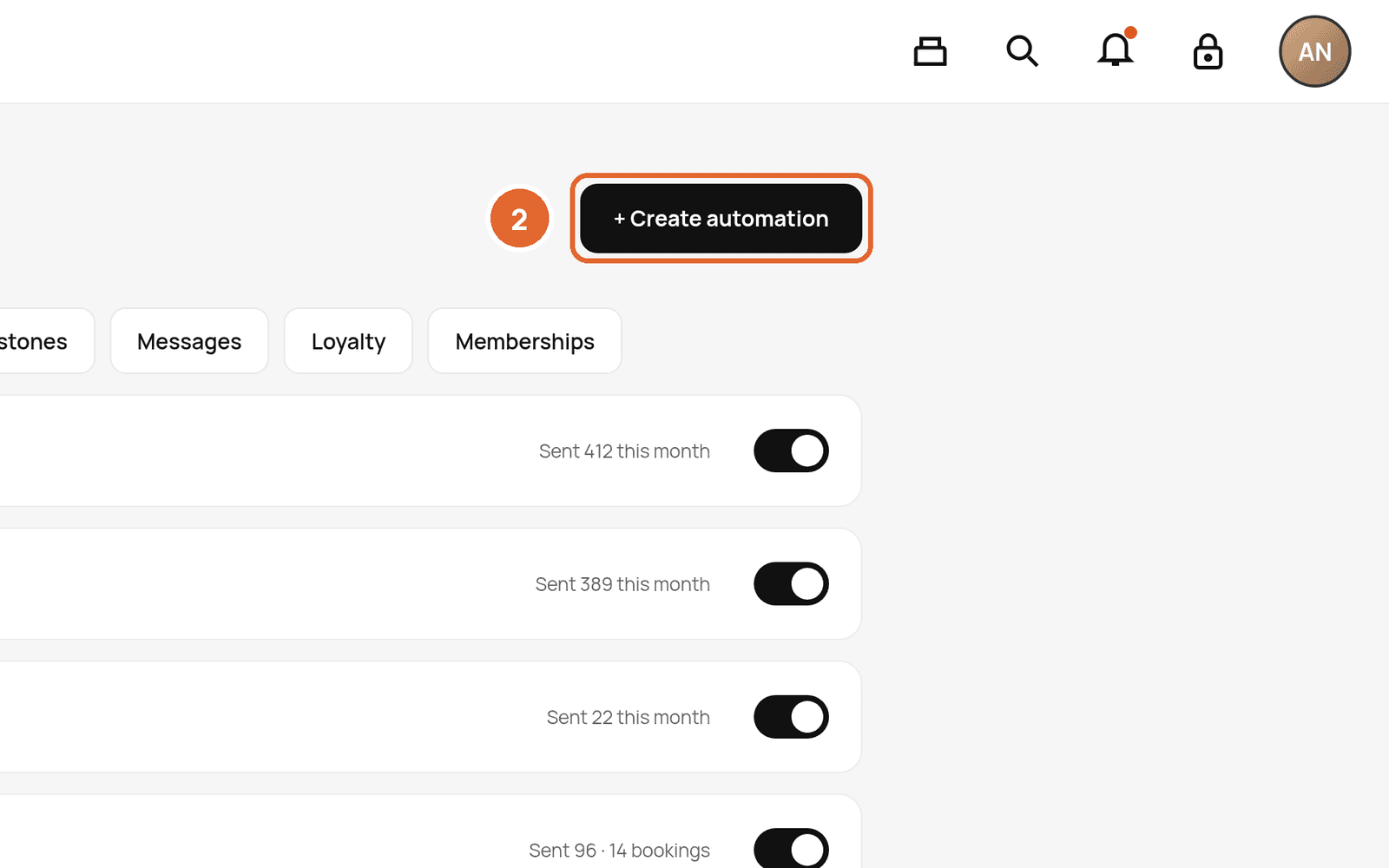
- 2Select + Create automation.
- 3Choose a template, then set the timing (for example 24 hours before the appointment).
- 4Edit the message and choose the channels: push, email and, if SMS is on, text.
- 5Review and turn it on.
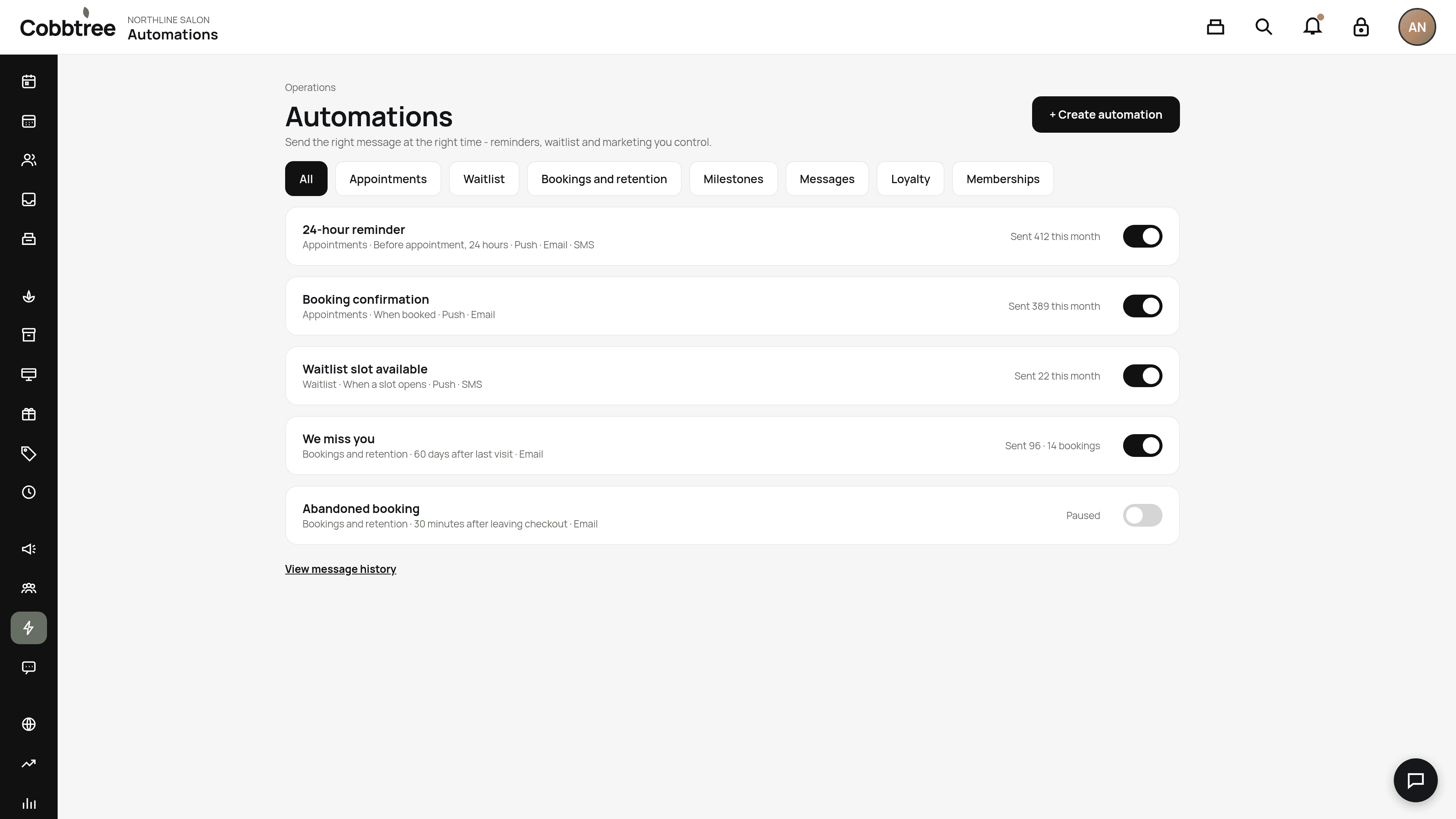
Use the tabs (2) to browse by type: Appointments, Waitlist, Bookings and retention, Milestones, Messages, Loyalty, Memberships and Forms and client.
Reminders and confirmations
Appointment reminders send at the time you choose before each booking. They count as service messages, so they reach clients even if they've opted out of marketing.
Marketing automations
Abandoned booking, win-back and birthday messages are marketing. They only go to clients with marketing consent, and they start paused until you turn them on.
Add a promo code
On the web you can link a promotion to a marketing automation and use {{promotion.code}} in the message. Paused or expired codes aren't added.
See what was sent
Select View message history (3). Each automation shows how many messages were sent and how many were held back.
Good to know
Automations can send by push, email, Cobbtree chat and SMS. WhatsApp isn't available.
Related: Why a message wasn't sent · Abandoned booking messages
Was this article helpful?