
Messages and marketing
Why a message wasn't sent
Last updated 12 October 2026
Cobbtree records why every automatic message was sent, held or skipped.
Cobbtree records why every automatic message was sent, held or skipped.
Check an automation
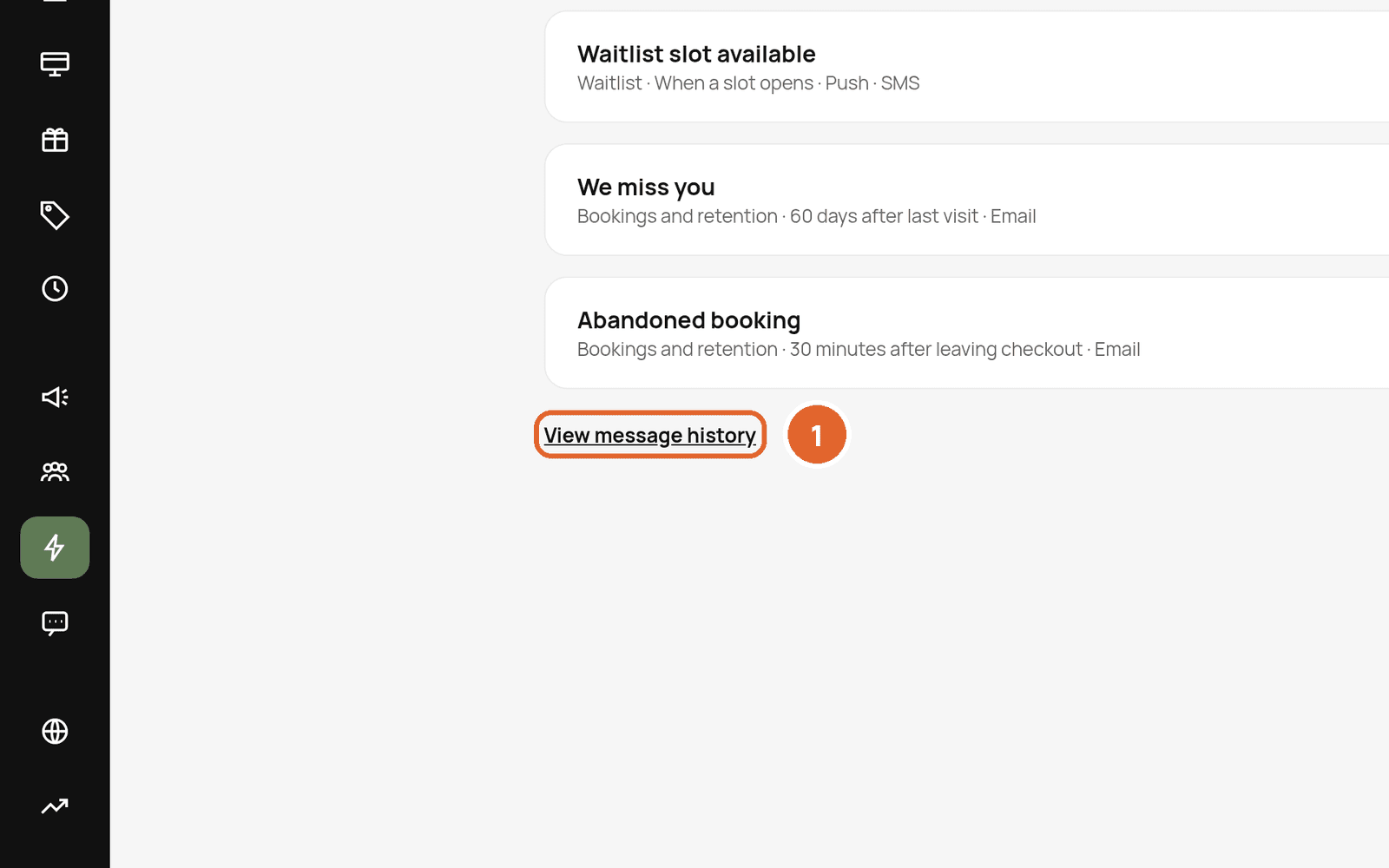
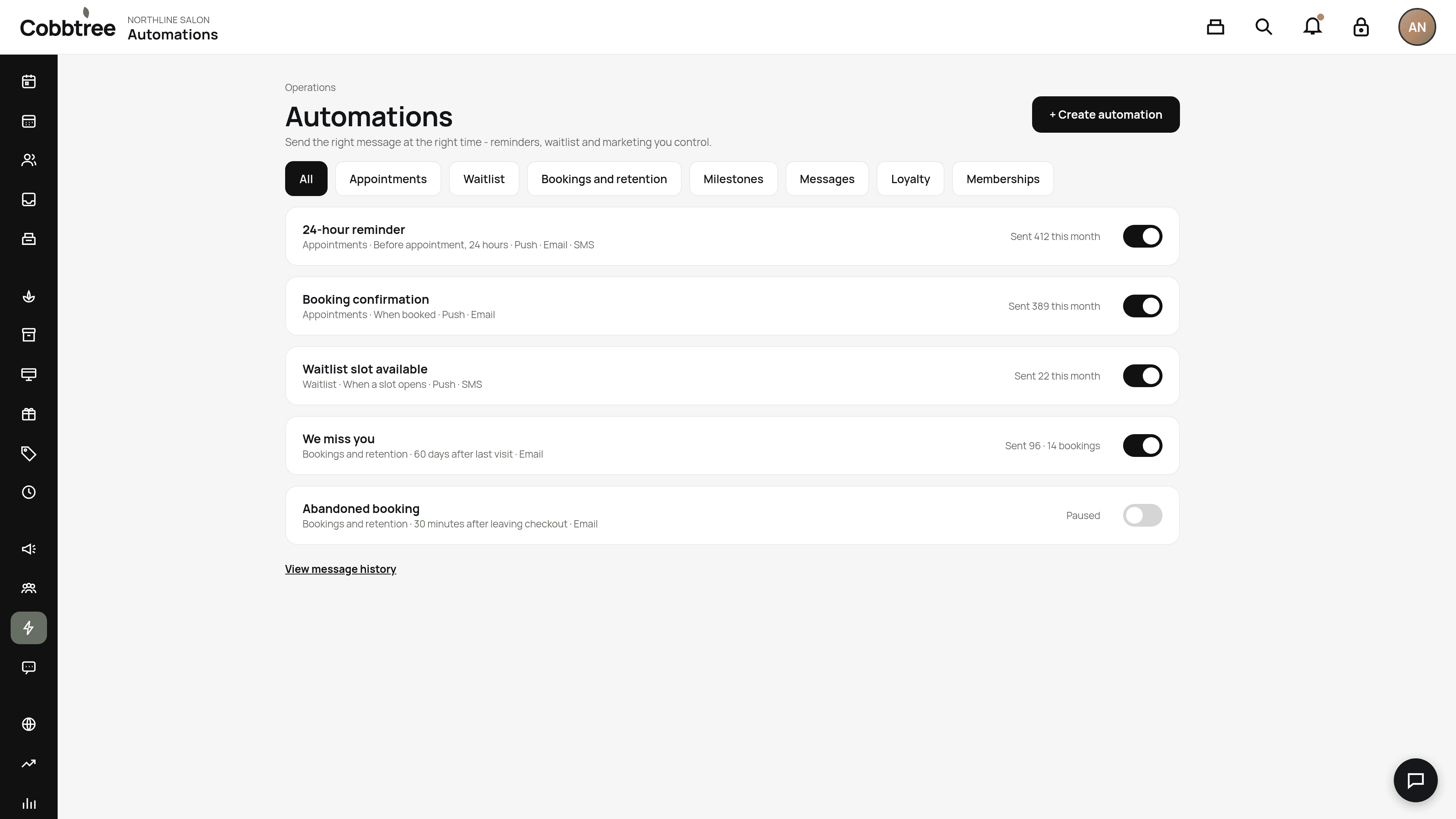
- 1Open Automations and select View message history.
- 2Open the message and read the reason.
Common reasons
- The automation is paused.
- The client hasn't given marketing consent (for marketing messages).
- The channel is off. For example, SMS only sends if SMS is turned on for your business and you have credits.
- Quiet hours delayed the message.
- The client has had too many marketing messages recently.
- For abandoned bookings: the visitor couldn't be identified, didn't reach the minimum step, has already booked, or was messaged in the last 24 hours.
Text message statuses
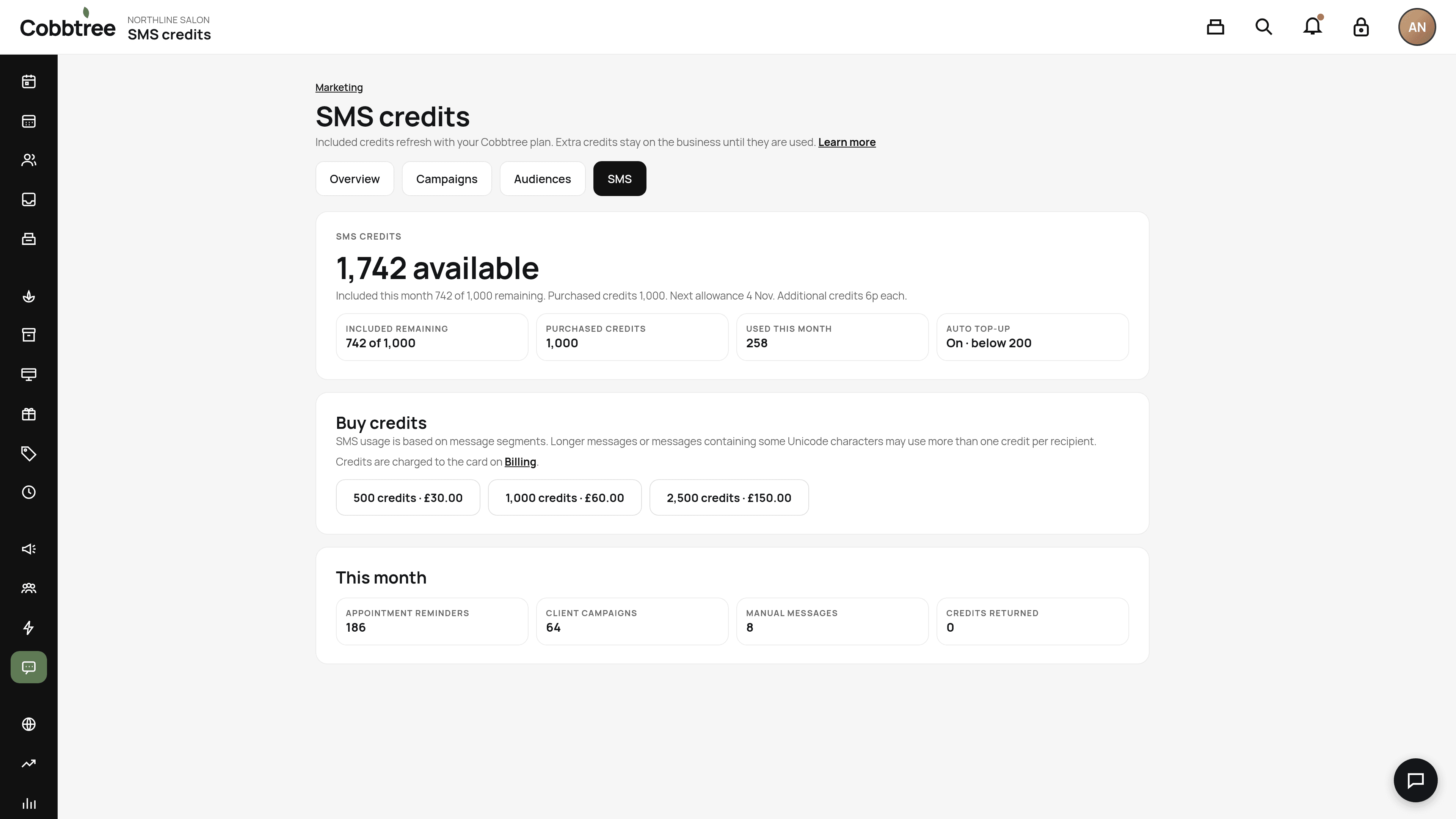
In Marketing → SMS:
- Queued: Cobbtree has accepted it.
- Sent: the SMS provider has accepted it.
- Delivered: it reached the phone.
- Failed / undelivered: it didn't arrive.
- Skipped: Cobbtree didn't send it, and the reason is shown.
Still stuck?
Check your SMS balance under Marketing → SMS. If you have no credits, texts won't send. Push and email keep working.
Related: Automations · SMS credits and settings
Was this article helpful?