
Getting started
Set up your business profile
Last updated 12 October 2026
Your business profile is what customers see on the Cobbtree Marketplace, on your Cobbtree Site and when they book. It holds your name, logo, public page and social links.
Your business profile is what customers see on the Cobbtree Marketplace, on your Cobbtree Site and when they book. It holds your name, logo, public page and social links.
Edit your profile
- 1Select Settings in the left-hand menu, then Business details.
- 2In the Business profile card, select Edit.
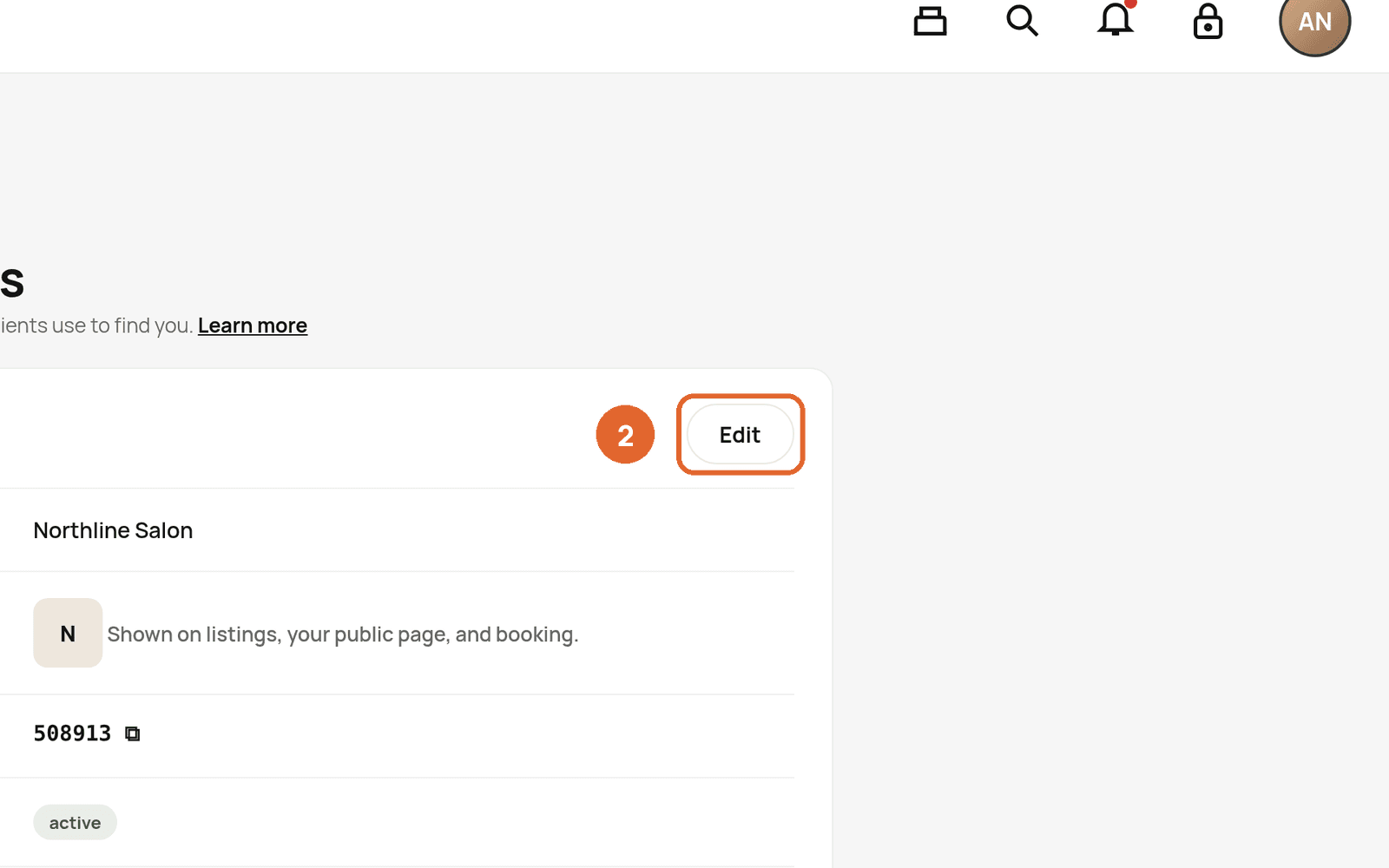
- 3Update your Business name and Business logo. Your logo is shown on listings, your public page and during booking.
- 4Add your Facebook and other social links with Add +.
- 5Save your changes.
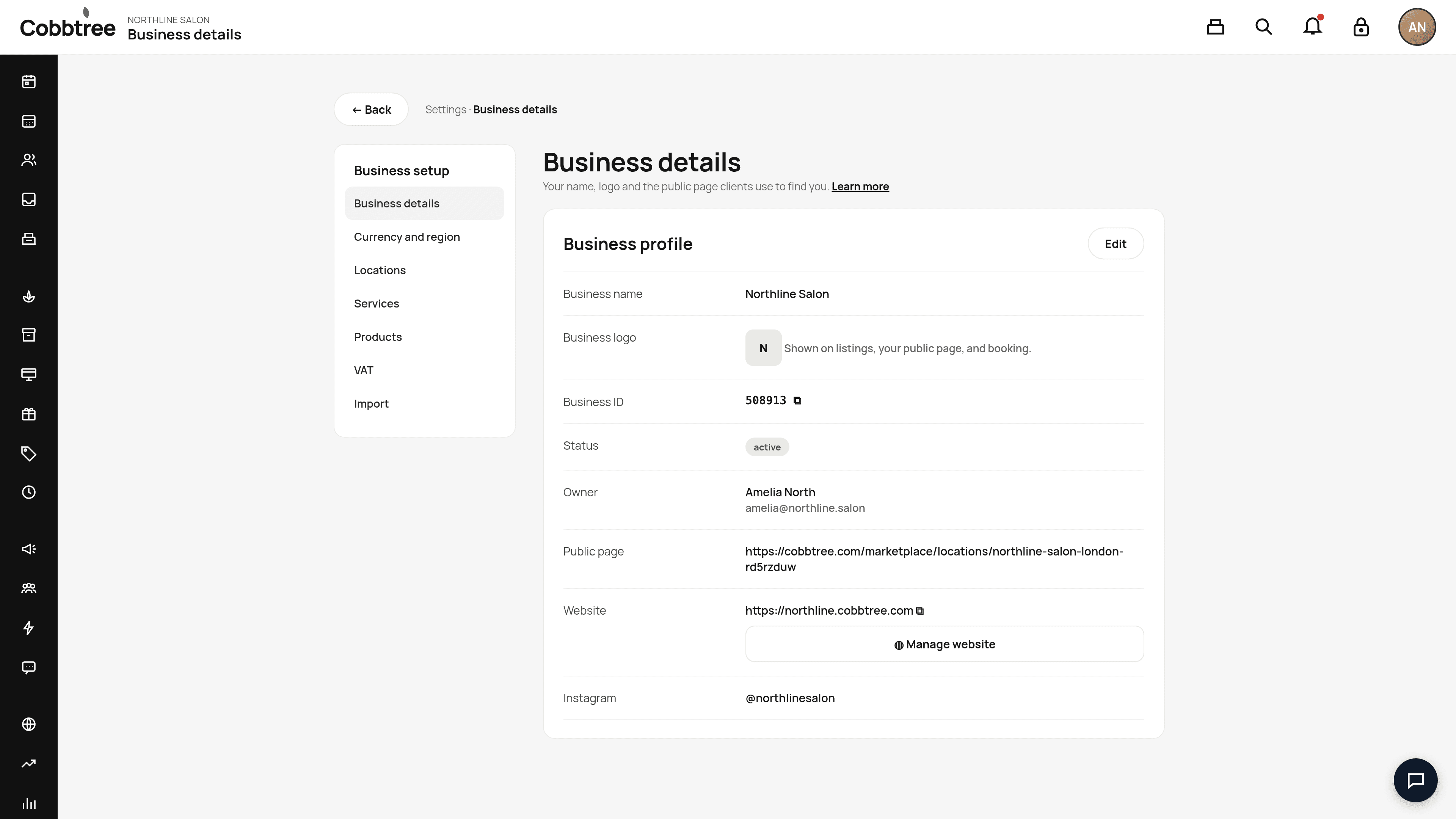
What else is on this page
- Business ID: your unique reference. Use the copy icon if Cobbtree Support asks for it.
- Owner: the account owner's name and email.
- Public page: the link to your Marketplace page on cobbtree.com. Use the copy icon to share it.
- Website: your Cobbtree Site address. Select Manage website to change its design. See Build your website with Cobbtree Sites. 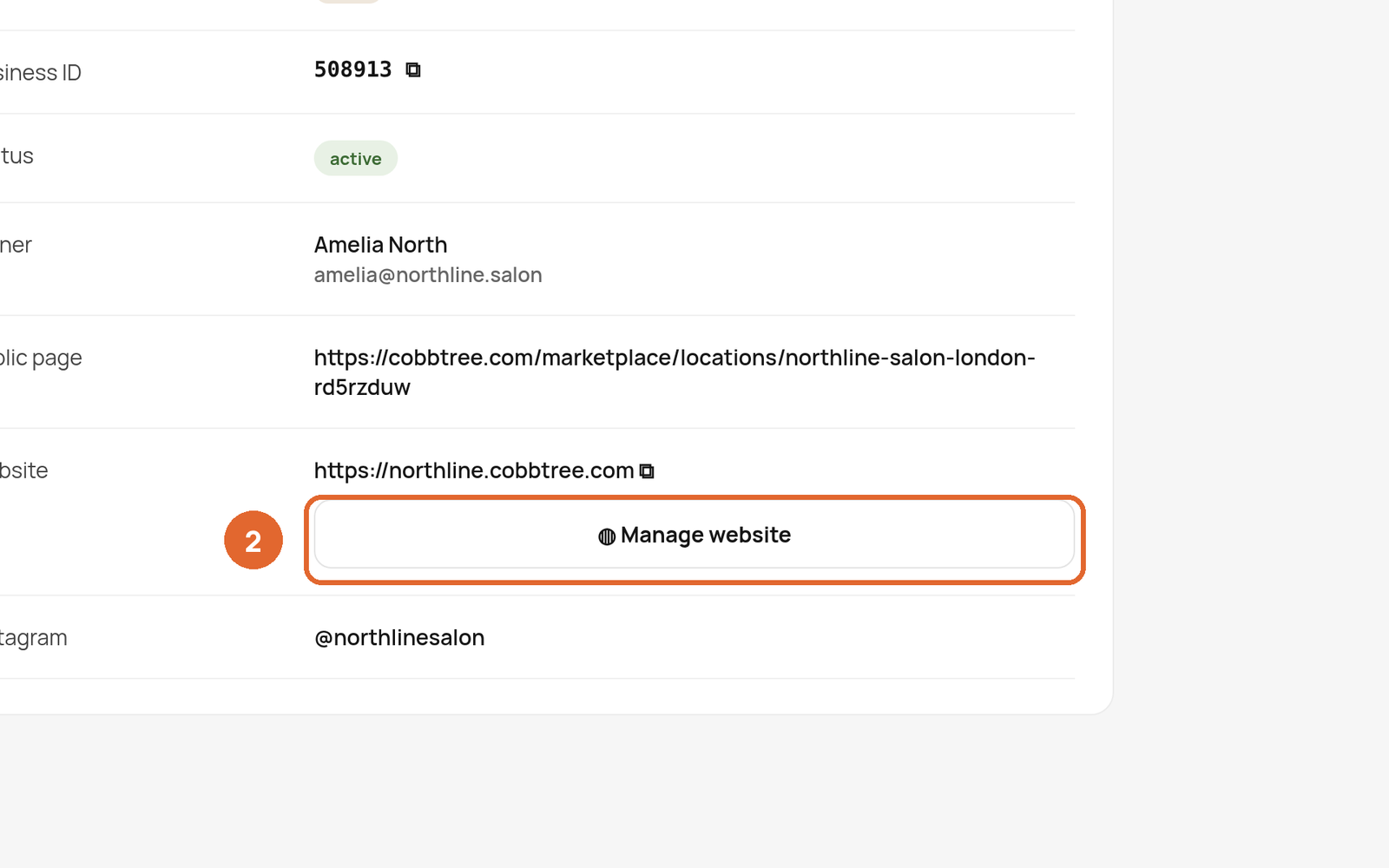
Good to know
- Being listed on the Marketplace is separate from taking online bookings. You can be listed without taking online bookings, and you can take bookings without appearing in search.
- The services and team members shown online come from your service and location settings.
Related: Add your locations · Build your website with Cobbtree Sites
Was this article helpful?