
Getting started
Turn on online booking
Last updated 12 October 2026
Online booking lets customers book you from the Cobbtree Marketplace, your Cobbtree Site and the Cobbtree app, any time of day.
Online booking lets customers book you from the Cobbtree Marketplace, your Cobbtree Site and the Cobbtree app, any time of day.
What needs to be in place
Customers can only book when all of these are set up:
- 1A location with opening hours.
- 2Services marked as online bookable. Look for the Online badge on the Services page.
- 3Team members with working hours on the Rota at that location.
Booking settings
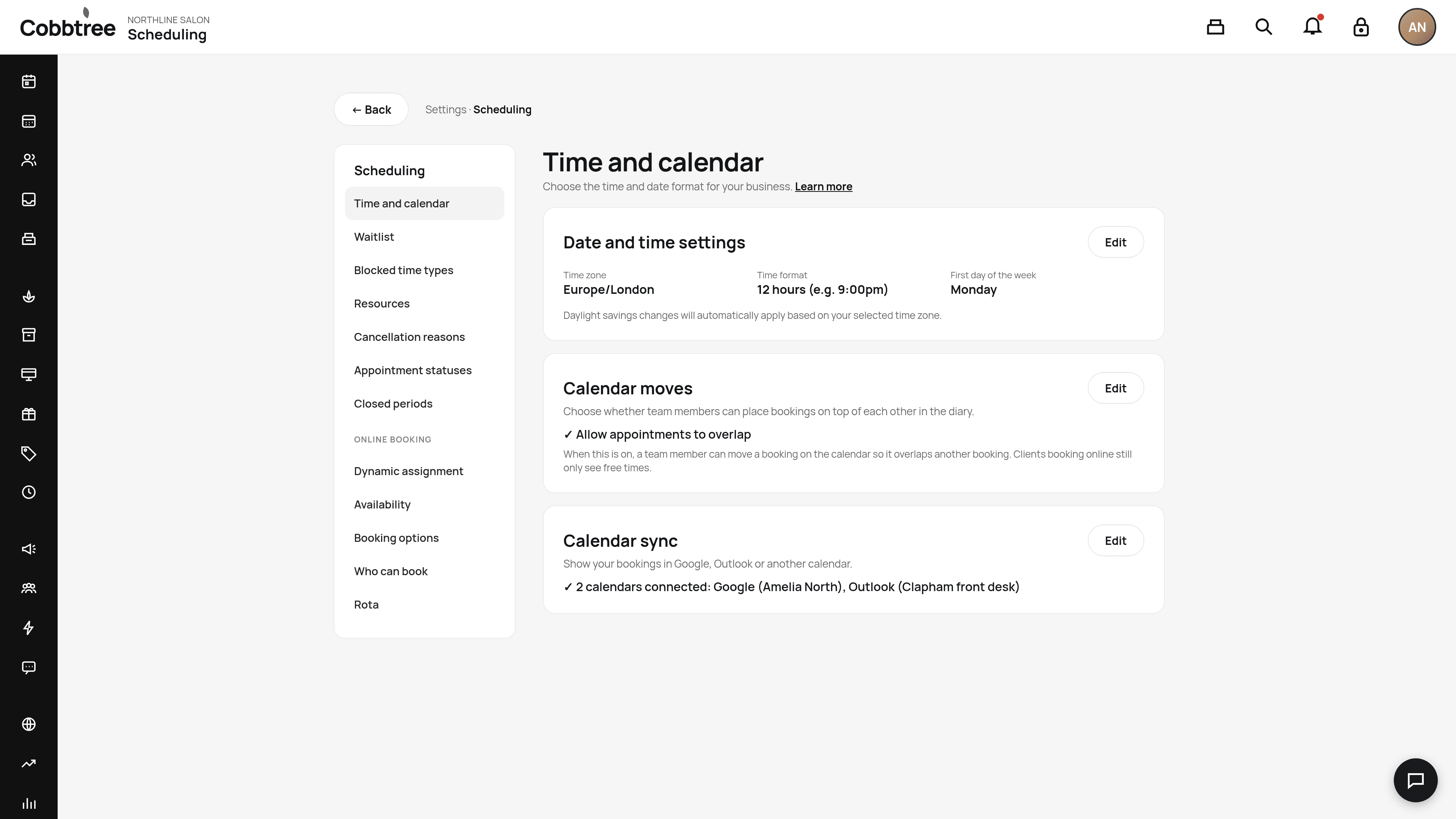
Go to Settings → Scheduling. Under Online booking on the left you'll find:
- Dynamic assignment: how Cobbtree picks a team member when a customer chooses "Anyone".
- Availability:
- Booking options:
- Who can book:
Share your booking link
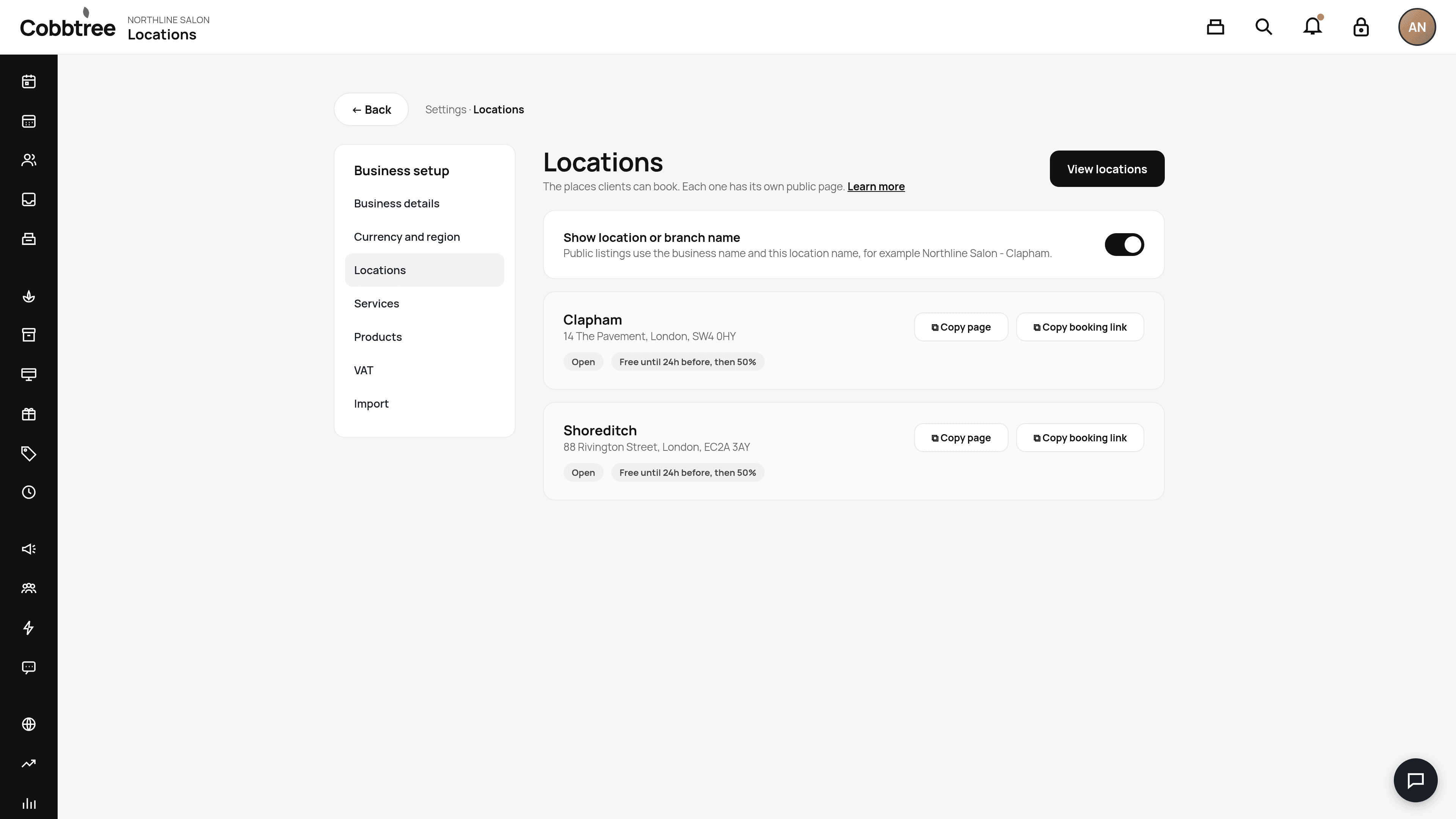
Go to Settings → Locations and select Copy booking link on a location card. Paste the link into your Instagram bio, Google profile or emails.
How Cobbtree works out free times
Availability comes from working hours, existing appointments, holds, time off, service length and buffers. When a customer picks Anyone, Cobbtree searches every team member who can take that service at that location and shows each start time once. After the customer picks a time, Cobbtree assigns the team member with the quietest calendar that day.
Good to know
Customers can enter a promo code before they choose a time. Cobbtree saves it and applies it when the appointment qualifies.
Related: Add a booking widget to your website · Bookings from Google, Facebook and Instagram
Was this article helpful?